
Changing Your Payment Method
5/26/2026
Changing the card your subscription's payment method or credit card is easy. Here are the steps.
- Log in to your account
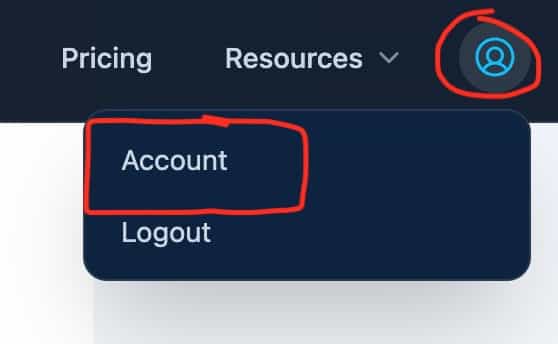
- Go to your account info:
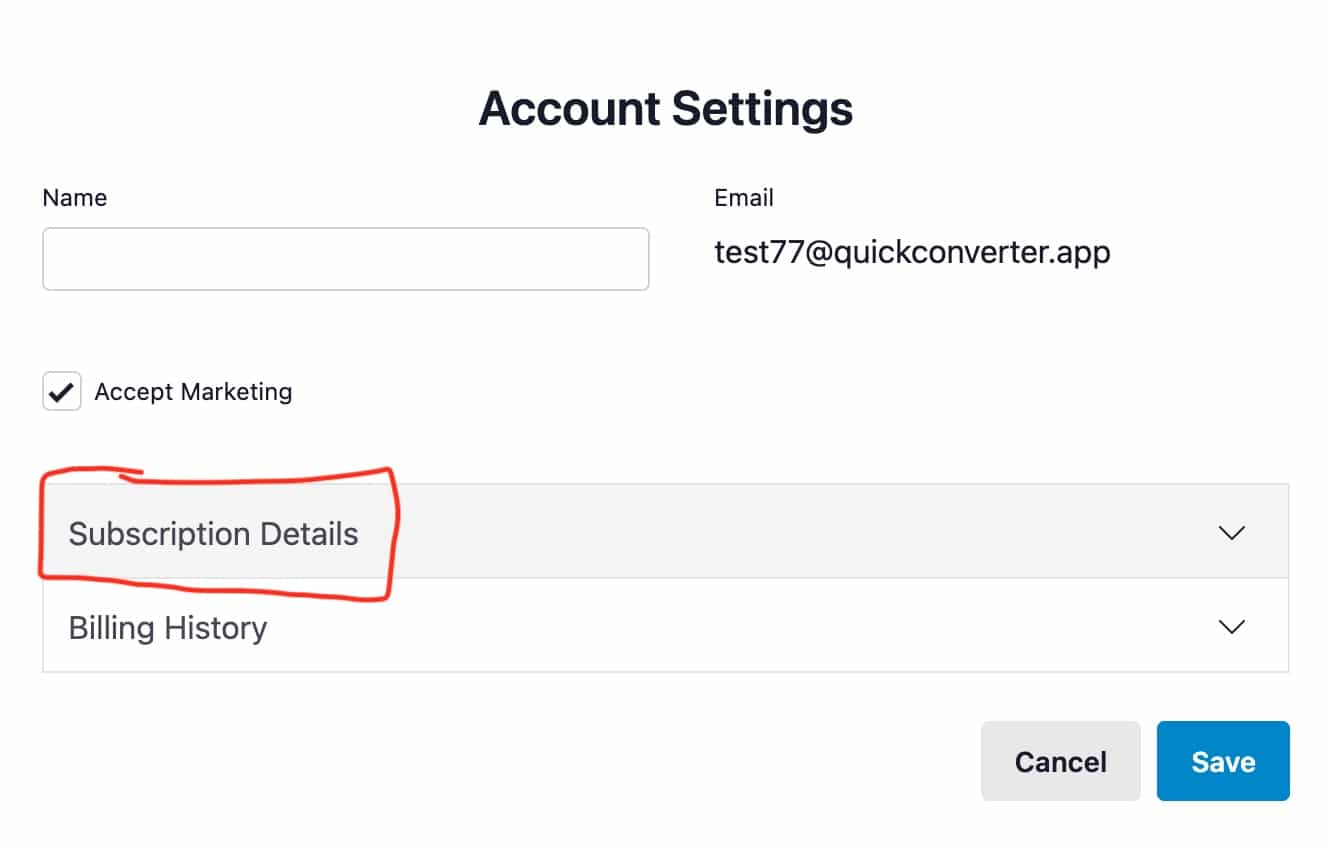
- Expand the Subscriptions accordion
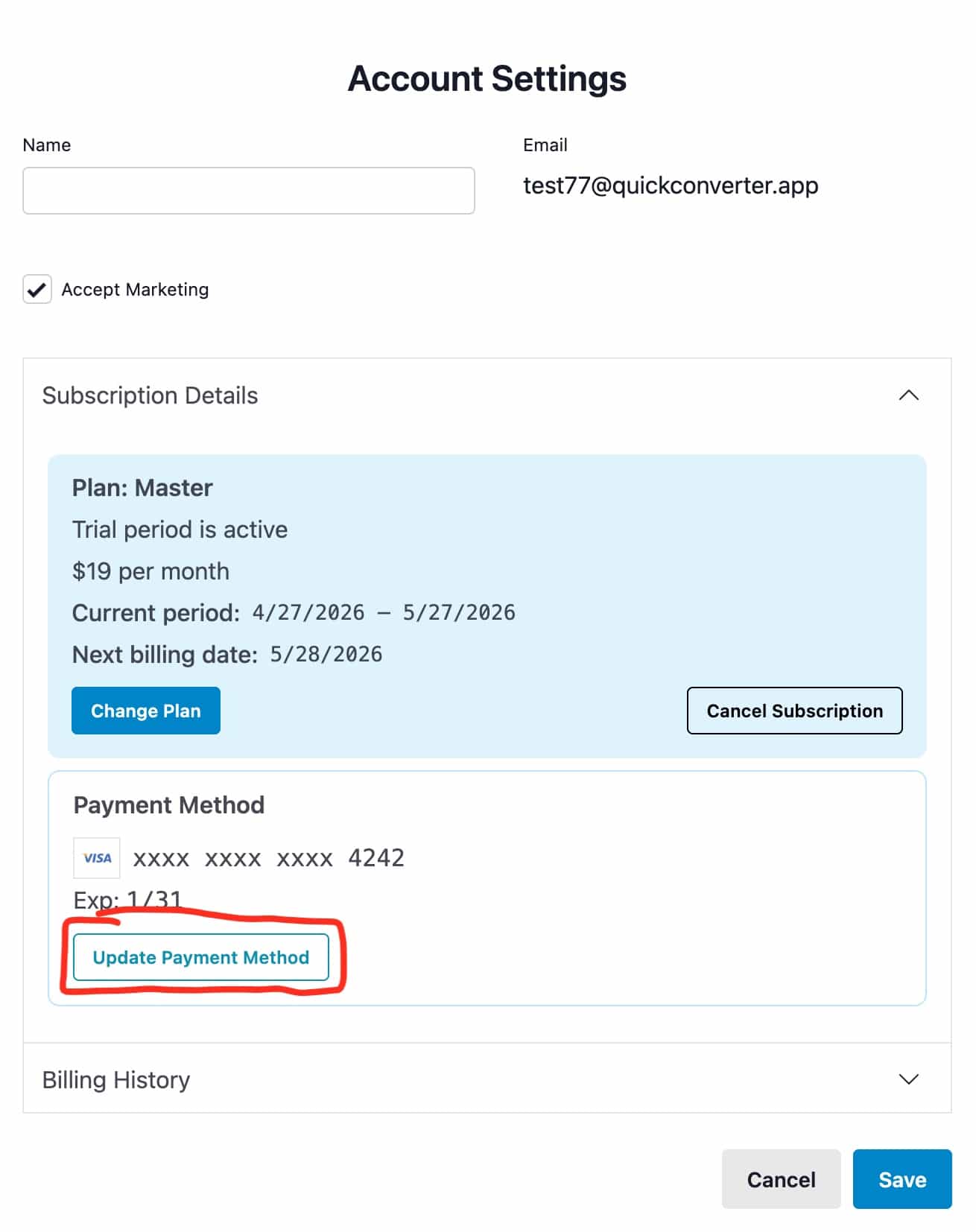
- Click the "update payment method" button
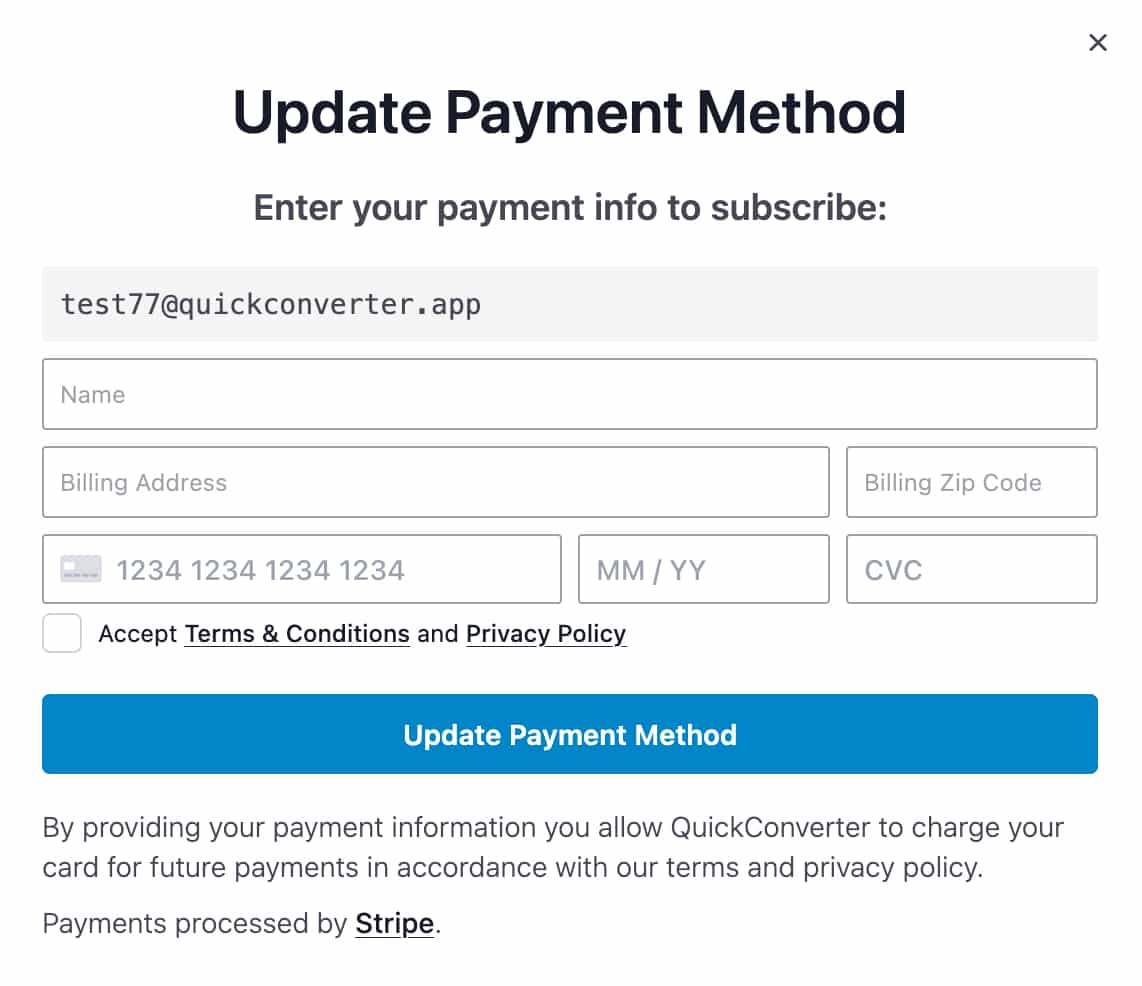
- Enter your new payment information and click "Update Payment Method" to complete the change.
If you run into any difficulty, please reach out to us and we'll get it sorted out as soon as possible.